
Hibu One Service Area Pages (SAPs) – FAQ
Service Area Pages (SAPs) are dynamic, keyword-targeted pages created to help businesses expand their presence across a wide geographic area. These pages are typically best for clients who travel to their customers.
SAPs are designed to help these businesses rank in local search results for each individual city they service. For example, a business might show up for searches like:
- “AC repair in Berwyn”
- “Pest control services near Norristown”
Each page is tailored to a specific city and is automatically generated based on the
client’s selected services and service area.
Example Demo SAPs
What’s the Difference Between Geo Pages and SAPs?
Choosing between Geo Pages and Service Area Pages (SAPs) depends on how the business serves its customers — and whether they’ve purchased Local Ranking.
How the Business Operates
- SAPs are typically for businesses that travel to the customer’s location — such as HVAC techs, landscapers, electricians, and pest control services. However, if a consumer is willing to travel to a business for a specific service or a premium provider (i.e. a lawyer), SAPs can be used as well.
- Geo Pages are typically for businesses with a physical location where customers come to the business — like dentists, hair salons, and auto repair shops, where the consumer is most likely to want to go to the closest option to where they are.
What If the Clients Does NOT Have Local Ranking?
- If the client does not purchase Local Ranking, they cannot have the SAPs.
3 Reasons Why Businesses Should Use SAPs
1. Expand Your Reach Without Adding Locations
Service Area Pages (SAPs) enable your business to appear in search results for the cities you serve, even if you don’t have a physical office there. This helps you get discovered by potential customers in surrounding areas who are actively searching for your services
2. Improve Local Search Visibility
Having dedicated pages for each city you serve gives search engines clear, structured information about where your business operates. This can improve your visibility in “near me” and city-specific searches, making it easier for people to find you based on location and service.
3. Attract and Convert Local Visitors
SAPs provide relevant, location-specific content that speaks directly to customers in each city. This personalized approach builds trust and increases the chances that site visitors will contact you or request a quote—especially when they see that you serve their exact community.
Who can purchase SAPs?
SAPs are available to both new and existing Hibu clients who meet all the following criteria:
- Have a Hibu One Smart Site
- Have Local Ranking services enabled
Can I Remove Local Ranking keywords and Replace them with Service Area Pages?
No.
Service Area Pages are an Add-On to Local Ranking; they are not a replacement. When planning your LR campaign in conjunction with Service Area Pages, remember that Local Ranking provides more than “just” a page on the website, it also includes deliverables like backlinks, blog posts, social posts, etc., that help a page rank on search engines and generate more organic traffic to the site for users looking for that specific keyword.
Are there any restrictions on SAPs?
Yes.
- SAPs must match an existing core page’s* (product/service offering) on the Hibu One Smart Site
- SAPs cannot target entire states or large metro areas
- Geo Pages and SAPs cannot be sold together on the same account
*A Core Page focuses on one service or product for a business, like Roof Repair, Dog Bite Lawyer, or Brake Service. It replaces the old “Products/Services” label and is designed to explain what the service is, who it’s for, and why it matters.
Can SAPs and other types of pages exist together on my website?
Yes, but with important restrictions to avoid duplicating content:
- You cannot have both a core page and an SAP targeting the same service in the same city.
- Example: If you already have a page for “Roofing Services in Paoli, PA,” you can’t add an SAP for roofing in Paoli.
- You also cannot have an SAP that duplicates a Local Ranking-modified core page.
- Example: If your site includes a Local Ranking page for “Roofing Services in Chestnut Hill,” an SAP for that same combination isn’t allowed.
- You cannot combine SAPs and Geo pages
These restrictions help ensure the site avoids redundancy, improves SEO performance, and maintains clarity for search engines and users
How is the content written for SAPs?
The content on each Service Area Page (SAP) is carefully written to reflect that the business serves customers in each city but is not physically located there (unless explicitly true). This distinction is important both for accuracy and to meet search engine expectations, which prioritize location-relevant content and discourage misleading geographic claims.
SAP content is written to:
- Showcase the business’s willingness to travel to the city
- Build trust with local customers by speaking directly to their community
- Avoid confusion about where the business is located
- Comply with SEO standards, which penalize inaccurate or duplicate location-based content
Effective phrasing includes:
- “Proudly serving the Berwyn community”
- “We come to you—serving homes across the greater Springfield area”
- “Delivering reliable service throughout Norristown and nearby cities”
- “Trusted by homeowners across Chester County”
We avoid phrasing that implies a local physical presence unless it’s true:
- “Located in [City]”
- “Visit our office in [City]”
- “Your neighborhood [Service] provider in [City]” (unless the business is actually based there)
This tone ensures clarity for site visitors and improves the business’s credibility in each service area while staying compliant with Google’s local content guidelines.
Why Aren’t the Service Area Pages All Unique?
We don’t create completely unique content for every Service Area Page because the goal is to help your business appear when people search for your services in specific towns — not to trick search engines. Each page is written to clearly connect your business to the area it serves, so it’s locally relevant and accurate for potential customers in that community.
Google understands that service-area businesses travel to their customers, so what matters most is that each page matches the search intent — for example, “AC repair in Berwyn.”
Hibu’s Service Area Page approach is proven, compliant, and results driven. After more than four years of testing, we’ve seen no SEO penalties or indexing concerns. Our focus remains on local intent, scalability, and trustworthy content — ensuring each page provides real value to both search engines and customers.
Are Hibu’s Service Area Pages Doorway Pages?
No — Hibu’s Service Area Pages are not doorway pages. Doorway pages are low-quality pages made to mislead search engines or funnel visitors to one place. Our pages do the opposite — they’re designed to help customers in each town find your business for the service they’re looking for.
Each page highlights the area your business serves and speaks directly to that local audience. Google recognizes that service-area businesses travel to their customers, and our approach reflects that intent clearly and accurately.
Hibu’s Service Area Page approach has been carefully tested and fully aligns with search engine best practices. For more than four years, we’ve seen consistent performance with no SEO penalties or indexing issues. Every page is built around genuine local intent and transparent, trustworthy content — helping connect your business with the right customers in every community you serve.
Will Advanced Onsite Optimization be applied to SAPs the same way it is for Local Ranking?
While Service Area Pages are optimized, Advanced Onsite Optimization is reserved for core pages of the website. The primary goal of Advanced Optimization is to help make that page on the website ‘stands-out’ from the rest of the pages on the site for that specific keyword. This approach helps ensure Local Ranking can deliver the best possible results for that keyword.
In short, Service Area Pages are meant to be compliment to the core page on the site where Advanced Optimization has been applied, not compete with it.
How many cities can be targeted?
Clients can target up to 150 cities per keyword.
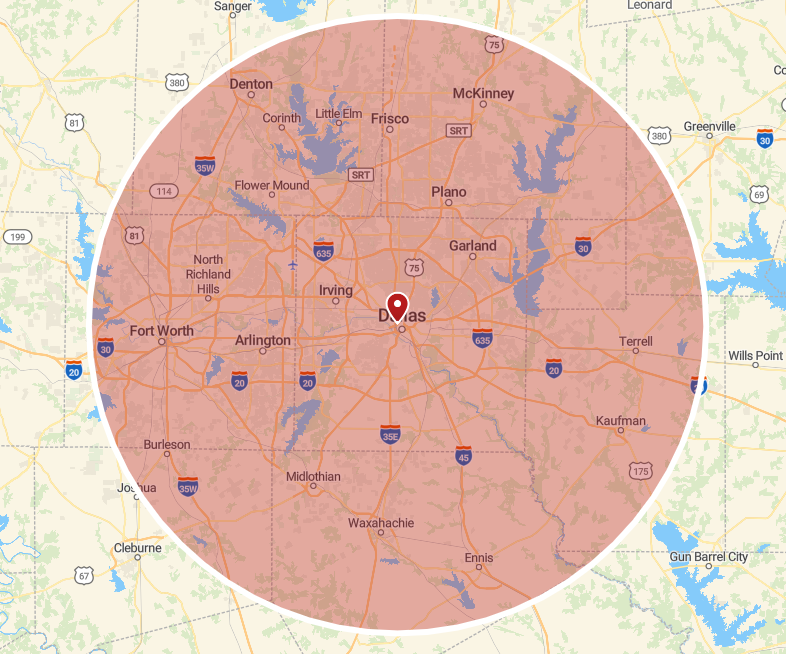
- The default targeting radius is 25 miles from the business’s physical location or “home-base”, but this can be expanded to up to 60 miles.
- Clients can deselect individual cities they do not want to include, offering precise control over their geographic focus.
The number of keywords available are based on the number of keywords selected for Local Ranking. A business can generate a large volume of SAPs by combining multiple services with multiple cities.
The keywords available for SAPs are based on the Local Ranking keywords selected in the Recommendation Builder. When a keyword includes a service and a location—such as:
- Roof Repair King of Prussia, PA
- Roof Replacement King of Prussia, PA
- Roofers Philadelphia, PA
Hibu extracts the service-based keyword roots (e.g., Roof Repair, Roof Replacement, Roofers) to be used in SAP creation.
For example:
If a business selects 5 service keyword roots and chooses to target 100 cities for each, that will generate 500 SAPs (5 × 100). Each page would be tailored to a unique service and location combination, significantly expanding the business’s visibility in local search results across its service area.
How are SAPs accessed and displayed on the website?
Service Area Pages (SAPs) are prominently integrated into the website in multiple ways to maximize visibility and usability:
- Site Navigation Access - SAPs are linked under the “Contact” menu in the website’s main navigation. They appear as a subpage titled “Service Area,” typically listed near other options like “Request Estimate.”
- Footer Link Access - A contextual footer link labeled “and surrounding areas” appears beneath the business’s listed city or service region. Clicking this link takes visitors directly to the Service Area page.
- Dedicated “Service Area” Page Display - This page serves as the central hub for SAPs. It presents a structured list of cities, categorized by service type. Each city name links to its own SAP—providing unique, localized content tailored to that service and location.
These access points and structural elements ensure SAPs are discoverable, easy to navigate, and valuable for both users and search engines.
Can clients make changes to SAPs?
Yes. SAPs are flexible and can be updated at any time. Clients can:
- Add or remove towns from their service area by contacting Hibu Support
- Request edits to the SAP content to better reflect their brand or messaging
Important: Any content changes made to an Service Area Page will be applied to all SAPs associated with that keyword. For example, if you update the content for "Roof Repair," the revised copy will appear on every SAP linked to that service.
What’s the difference between Service Area Pages and Geo Pages in terms of coding and what Google sees?
From a technical and SEO perspective, Service Area Pages (SAPs) and Geo Pages and are the same — there’s no difference in how they are coded or indexed by Google.
The difference lies in how the content is written:
- Service Area Pages (SAPs) focus on the areas the business serves, without suggesting a physical office in each location.
- Geo Pages highlight a business’s physical location and help customers find it nearby.
In other words, Google sees them the same, but the copy is crafted differently to stay accurate, build trust, and follow local SEO best practices.
Can the Service Area page be hidden on a Hibu One website?
No — the Service Area page is required because it gives search engines one central place to find and crawl all of the individual service/location pages. If the page were hidden, search engines would not be able to discover those pages, and the site would lose the SEO benefits they provide.
Why is there a 60 mile radius limit for Service Area Pages?
Google prioritizes showing the best and most relevant content on a business’s homepage. If we create service area pages for locations that are far outside the business’s actual service range — for example, more than 60 miles away — Google may interpret that as spammy or low-quality content. While it’s unlikely to trigger a direct penalty, it definitely won’t be viewed favorably and could limit visibility.
Why can’t we include cities that aren’t in Rec Builder for Service Area Pages?
The cities and towns in our Rec Builder are populated by the Google database. If the location is not available via the database, we are unable to provide a service area page for it. Typically, Google's database may exclude towns or cities that are unincorporated, that are newer, or that Google considers a subdivision of a larger area. In order to ensure that we do not create duplicate content by creating content for the same or overlapping areas, we rely on Google's database.