
Hibu One Geo Pages (Geos) – FAQ
Geo Pages are location-specific web pages designed to help businesses attract customers from surrounding cities. These pages are typically best for businesses that have a fixed location or office that consumer travel to, and want to expand their visibility beyond the city they are located in.
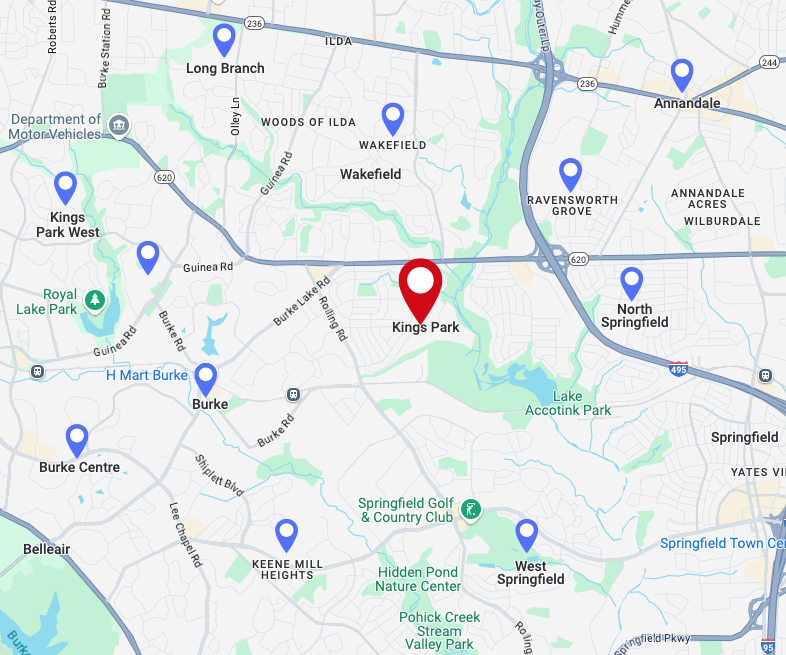
For example, a dentist based in ‘King of Prussia’ might use a Geo Page to appear in search results for a neighboring (like Conshohocken), allowing them to connect with more potential patients. A Geo Page might look like:
- Dentist serving Conshohocken, PA
- Pediatric Dentist serving Bridgeport, PA
Whether a client wants to grow their business across county lines or simply pull in more foot traffic from nearby communities, Geo Pages are a simple, effective way to do it.
Example Demo Geos
What’s the Difference Between Geos and SAPs?
Choosing between Geo Pages and Service Area Pages (SAPs) depends on how the business serves its customers — and whether or not they’ve purchased Local Ranking.
How the Business Operates
- Geo Pages are typically for businesses with a physical location where customers come to the business — like dentists, hair salons, and auto repair shops, where the consumer is most likely to want to go to the closest option to where they are.
- SAPs are typically for businesses that travel to the customer’s location — such as HVAC techs, landscapers, electricians, and pest control services. However, if a consumer is willing to travel to a business for a specific service or a premium provider (i.e. a lawyer), SAPs can be used as well.
What If the Client Has Local Ranking?
- If the client has Local Ranking, they can still add GEO Pages.
3 Reasons Why Businesses Should Use Geo Pages
- Attract Customers from Surrounding Cities
Geo Pages help businesses appear in search results for nearby areas — even if they don’t have a physical location there. It’s a smart way to grow their reach without opening new offices. - Increase Local Visibility
Geo Pages enables a client’s site to show up in city-specific searches they’re not located in, making Geo Pages a cost-effective way to boost visibility. - Build Trust with Transparent Messaging
By clearly stating where the business is based and where it serves, Geo Pages build confidence with customers and stay fully aligned with Google’s content policies.
Who Can Purchase Geo Pages?
To be eligible for Geo Pages, a client must:
- Have a Hibu One Website
- Not have Service Area Pages (SAPs) on their account
Best-fit industries include
- Dentists
- Veterinary clinics
- Salons and spas
- Auto repair shops
Can Geo Pages Be Sold with Local Ranking?
Yes.
Geo Pages are a good options for clients who have a physical location and want to focus their marketing to neighboring cities, even if they purchase Local Ranking.
They offer an affordable, effective way to gain multi-city visibility, but do not provide the power and growth that Local Ranking offers.
How Do Geo Pages Help With SEO?
Geo Pages are designed to improve visibility in search results, especially for cities where the business doesn’t have a physical location.
They support SEO in several ways:
- Increase local reach. Geo Pages help the client appear in search results for multiple nearby cities, not just the city where the business is located.
- Clarify geographic footprint. Geo Pages help Google understand where the business is based and which areas it serves, improving how and where the site ranks.
- Reinforce E-E-A-T. Geo Pages content helps support Google’s E-E-A-T principles (Experience, Expertise, Authority, and Trust), which play a growing role in local SEO performance.
In short--Geo Pages help businesses show up more often, in more places, with content that builds trust and drives traffic.
What types of Geos can I target?
We recommend targeting nearby areas in a City, ST format (i.e. – 'Ice Cream Shop serving Collegeville, PA') or Neighborhood, City format (i.e. - 'Dentist near Old City, Philadelphia').
As an exception to this, if the user who is performing the search would typically search for the business by state (i.e., 'Payroll Company in Iowa'), using 'State' is possible, however this approach is only recommended if that is expected user behavior. For example, a GEO page for ‘Roofer in Ohio’ is not recommended, as it will bring very little value to the client.
How Are Geo Pages Written?
Geo Pages are written to help businesses show up in search results for nearby cities, in a way that ensures that consumers are aware of where the business is actually located. This distinction is important for both search engines and consumers.
Geo Page Content is written to:
- Showcase SEO best practices and reflect the business’s actual service area.
- Pages are crafted to be both search-friendly and customer-friendly, providing clear, accurate messaging that builds trust.
Effective phrasing includes:
- “While our office is located in New Rockbridge, we proudly serve clients in Concord.”
- “Our main office in Portsmouth supports customers in Londonderry and beyond.”
We avoid phrasing that implies a local physical presence unless it’s true:
- “Located in [City]”
- “Visit our office in [City]”
- “Your neighborhood [Service] provider in [City]” (unless the business is actually based there)
This tone ensures clarity for site visitors and improves the business’s credibility in each service area while staying compliant with Google’s local content guidelines.
How Many Geo Pages Can a Client Have?
Clients can purchase up to 10 Geo Pages per Website.
Each Geo Page targets a different keyword / city combination, allowing the business to strategically expand visibility beyond its immediate area.
Where Do Geo Pages Appear on the Website?
Geo Pages are not featured in the main navigation but are still easy to find for users and search engines. They typically appear:
- On the Contact Us page
- On a Location Category Landing Page (for clients with multiple locations)
- In the site footer via a link labeled “Areas Served”
This structure keeps the site clean while ensuring that each page can be discovered and indexed effectively.
Can Clients Edit Their Geo Pages?
Yes — clients can request updates at any time.
They can:
- Submit content changes through Hibu Support
- Leave comments directly on their website for revision
All requested edits are reviewed by Hibu’s content team to ensure they meet SEO and editorial standards, keeping the pages effective, accurate, and search-friendly.
What’s the difference between Geo Pages and Service Area Pages in terms of coding and what Google sees?
From a technical and SEO perspective, Geo Pages and Service Area Pages (SAPs) are the same — there’s no difference in how they are coded or indexed by Google.
The difference lies in how the content is written:
- Geo Pages highlight a business’s physical location and help customers find it nearby.
- Service Area Pages (SAPs) focus on the areas the business serves, without suggesting a physical office in each location.
In other words, Google sees them the same, but the copy is crafted differently to stay accurate, build trust, and follow local SEO best practices.